How I Built a DIY Family Command Center That Actually Works (No Chaos Allowed!)
Let me tell you about the morning I found my 12-year-old’s permission slip for the field trip tucked inside his soccer cleat,the day before the trip. Or the time my husband left for work with his lunch still sitting on the counter because we’d both forgotten to pack it. Sound familiar? I used to think these were just “one of those days” moments, but after creating our family command center, I realized they were actually symptoms of a bigger problem: we had no system.
Our home wasn’t messy,it was just disorganized chaos. Keys disappeared into the black hole of the couch cushions. Important papers got buried under takeout menus. And trying to coordinate our family’s schedule felt like solving a Rubik’s Cube blindfolded. That’s when I decided to build a solution that would actually work for our real life,not some Pinterest-perfect fantasy that would collect dust in a week.
What I ended up with wasn’t fancy, but it was functional. More importantly, it actually got used. No more frantic searches for permission slips or last-minute panics about forgotten appointments. Best of all? It took me less than a weekend to build with materials I already had plus a few budget-friendly additions. If I can do it, so can you.
Here’s exactly how I did it,including the mistakes I made along the way so you don’t have to repeat them.
Why This System Changed Our Family (For the Better)
Before I get into the how-to, let me tell you why this was worth the effort. Our command center didn’t just organize our stuff,it organized our time. Here’s what changed:
- No more morning chaos: We went from 20-minute scrambles to everyone being ready in 10 minutes flat. The difference? Everyone knew exactly where their stuff was supposed to be.
- Less stress about forgetting things: Between school events, work deadlines, and my son’s endless list of extracurriculars, something was always slipping through the cracks. Now we see everything at a glance.
- Kids actually participate: I was surprised by how much my kids took ownership once they saw how much easier it made their lives. My 10-year-old now proudly checks the calendar every morning like it’s his job.
- Our kitchen counter is finally clear: I used to joke that our counter was a “landfill of life.” Now it’s actually a place we can eat meals without moving piles of paper.
The best part? It wasn’t about being perfect. It was about creating simple habits that actually worked for our messy, real-life family. And yes, I still sometimes forget to put my keys in their designated spot,but now I notice within minutes instead of hours.
What I Learned the Hard Way (So You Don’t Have To)
My first attempt at a family command center was a disaster. I spent $150 on a fancy wall organizer from a big-box store, only to have it gather dust within a month. Why? Because I made three critical mistakes:
- I didn’t involve my family: I thought if I built it, they would come. Spoiler: They didn’t. My kids treated it like a suggestion, not a system.
- I overcomplicated it: I tried to include every possible feature, from a whiteboard to a chalkboard to a corkboard. It looked like a teacher’s lounge exploded.
- I put it in the wrong place: I installed it in our formal living room because it looked “nice” there. Problem? No one ever went in that room except when company visited.
Lesson learned: Start simple, involve your family, and put it where people actually live. My second attempt,built with a $30 budget and some repurposed materials,is the one that’s still working today.
How to Plan Your Command Center (Without Overthinking It)
Before you start buying supplies or measuring walls, take 10 minutes to answer these questions:
- Where do things currently get lost? For us, it was keys (couch), permission slips (backpack black hole), and my husband’s work badge (mysteriously appearing in the fridge).
- What’s our biggest scheduling pain point? We were constantly missing school events because they got buried in email notifications.
- What’s one small change that would make our mornings easier? For us, it was having everyone’s backpacks and lunchboxes in one spot by the door.
Pro tip: Grab a notebook and actually write down where things tend to disappear. I was shocked to realize how many of our “lost” items were actually just in plain sight,but in the wrong place. My son’s soccer cleats? Always by the TV. My husband’s wallet? Somewhere near the coffee maker. Once I mapped these patterns, the solution became obvious.
Where to Put Your Command Center (Spoiler: Not the Living Room)
I made this mistake first time around, and I’m here to save you from it. Your command center needs to be:
- Visible: Somewhere everyone passes multiple times a day. For us, that’s our kitchen nook.
- Accessible: Easy to reach without climbing or stretching. (I learned this when my 6-year-old couldn’t reach the hooks I’d installed too high.)
- Functional: Somewhere people naturally gather. Our kitchen is where we all end up before school and after work, so it made sense to put it there.
Other good spots:
- The back hallway by the garage door (if that’s your main entry/exit)
- A mudroom (if you’re lucky enough to have one)
- Near the front door (if that’s where your family actually enters/exits)
Wherever you choose, test it for a week before making it permanent. Move things around until it feels natural. Our first attempt in the living room lasted exactly 3 days before we moved it to the kitchen.
What You’ll Actually Need (No Fancy Tools Required)
Here’s what I used for our $30 command center (and where to get it):
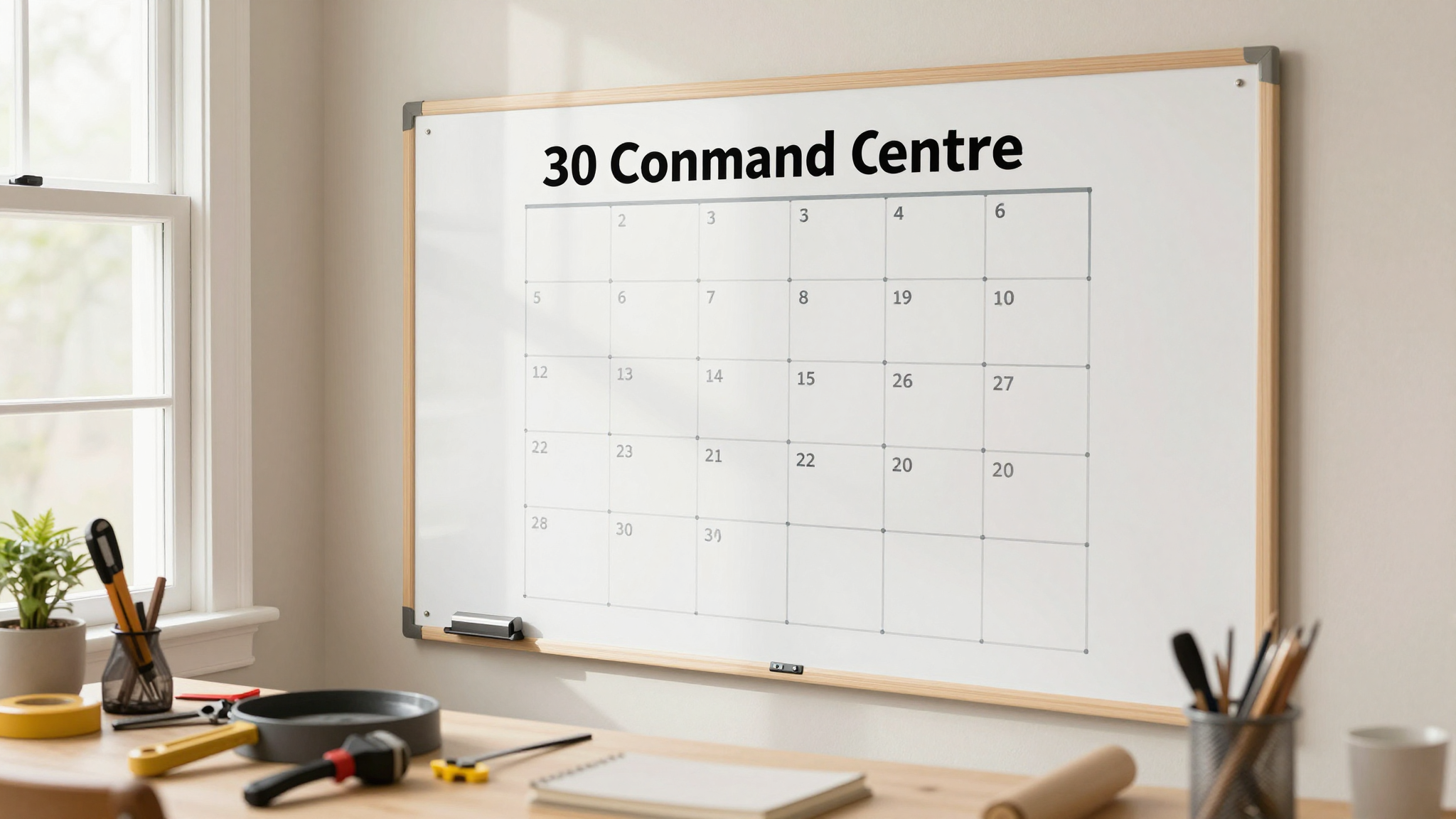
- Large whiteboard ($12 from Target): For our family calendar and grocery lists. I got the 24″x36″ size,big enough to see from across the room.
- Over-the-door shoe organizer ($8 from Dollar Tree): Holds backpacks, lunchboxes, and my husband’s work bag. The clear pockets let us see what’s inside at a glance.
- Command hooks ($5 for a 10-pack from Amazon): For keys, leashes, and my daughter’s dance bag. I used the strongest ones I could find because my son’s backpack is basically a brick.
- Magazine holder ($3 from IKEA): For sorting mail and permission slips. I labeled each slot with a Sharpie.
- Chalkboard paint ($10 from Home Depot): I painted a section of our wall to add a second writing surface. (More on this below!)
Bonus: I repurposed an old coffee table we had in storage to hold our command center supplies. It gave us extra surface area for sorting mail and writing notes.
Tools You’ll Need (And What I Actually Used)
You don’t need a full toolbox, but you will need:
- A measuring tape (I used the one that came with my basic tool set)
- A pencil (for marking where to drill)
- A level (this is non-negotiable,trust me, I learned the hard way when my whiteboard hung crooked for a month)
- A drill (I borrowed my neighbor’s because I didn’t want to buy one just for this project)
- Wall anchors (I used these SnapToggle anchors because they hold up to 50 lbs each,perfect for heavy whiteboards)
Pro tip: If you’re renting, use 3M Command Strips instead of drilling. They hold up to 16 lbs each and won’t damage your walls when you move out. I used them for our shoe organizer and it’s been holding up my kids’ backpacks for two years.
Step-by-Step: How I Built Our Command Center in a Weekend
Here’s exactly how I did it,with all the mistakes I made so you can avoid them.
Step 1: Measure Your Space (And Measure Again)
I can’t tell you how many times I measured wrong the first time. Always double-check your measurements. Here’s what I did:
- Measured the height from the floor to where I wanted the top of the whiteboard to be (I aimed for eye level for my 10-year-old).
- Measured the width of my whiteboard and marked that distance on the wall.
- Used my level to draw a straight line where the top of the whiteboard would go. (This is where I went wrong first time,my line was crooked and I had to redo it.)
Pro tip: If you’re not confident with your measuring, use painter’s tape to create a guide. It’s easier to see where things will go before you start drilling.
Step 2: Install Your Main Components
I started with the whiteboard because it was the largest piece. Here’s how:
- Marked where the wall anchors would go (I used a pencil to make small dots).
- Drilled pilot holes (I set my drill to a low speed so I wouldn’t crack the drywall).
- Inserted the wall anchors and screwed in the hooks that came with my whiteboard.
- Hung the whiteboard and used my level to make sure it was straight. (I had to adjust it twice,don’t skip this step!)
Next, I installed the command hooks for keys and bags. I placed them at different heights so everyone could reach their own hook. My 6-year-old’s hook is at her eye level, while my husband’s is up higher.
For the shoe organizer, I used Command Strips on the back of the door. I had to adjust it three times to get it perfectly aligned, but once it was up, it stayed put.
Step 3: Add Functional Extras
This is where I went overboard first time around, but I’ve learned to keep it simple. Here’s what actually works for us:
- Chalkboard paint section: I painted a 2’x2′ area next to the whiteboard for quick notes. My kids love using it to draw little messages for each other.
- Magazine holder for mail: I labeled each slot,”To Do,” “To File,” “Recycle.” Now we actually sort our mail instead of letting it pile up.
- Small basket for loose items: This catches all the random stuff that doesn’t have a home yet (like my daughter’s hair ties or my husband’s loose change).
- Charging station: I added a power strip with USB ports in a decorative box. Now everyone’s devices charge in one spot instead of scattered around the house.
Step 4: Stock It with Supplies
Don’t forget the little things that make it actually usable:
- Dry erase markers (I keep a few in a small cup so they don’t disappear)
- Chalk (for the chalkboard section)
- Sticky notes (for quick reminders)
- Pens (because we always seem to need one)
- A small trash can (to catch paper scraps)
I also added a family rule chart with our command center guidelines. Nothing fancy,just a list like:
- Hang your backpack on your hook
- Put permission slips in the “To Do” bin
- Check the calendar every morning
- No dumping random stuff in the basket (it gets cleaned out weekly!)
How We Actually Use It (And Keep It Working)
Here’s what our daily routine looks like now:
Morning Routine (5 Minutes or Less)
- Everyone grabs their backpack from their hook.
- We check the calendar for the day’s events.
- My husband grabs his keys and work badge from their hooks.
- I check the grocery list on the whiteboard and add anything we’re low on.
- We all do a quick scan to make sure we have everything we need for the day.
That’s it. No more frantic searches for permission slips or forgotten lunches. The whole routine takes less time than it used to take just to find everyone’s shoes.
Evening Routine (3 Minutes)
- Backpacks go on hooks.
- Permission slips and school papers go in the “To Do” bin.
- We add any new appointments to the calendar.
- Keys and bags go on their hooks.
- We do a quick tidy of the command center (wiping the whiteboard, emptying the trash, etc.).
On Sundays, we do a 10-minute reset:
- We go through the “To Do” bin and file or recycle what we don’t need.
- We plan the week ahead on the calendar.
- We restock supplies (markers, sticky notes, etc.).
- We do a quick declutter of the command center.
How We Keep Everyone Accountable
At first, my kids treated the command center like a suggestion. Here’s how we made it stick:
- We made it a habit: For the first month, I set a timer for 5 minutes every morning and evening. We all had to stop what we were doing and use the command center. Now it’s just part of our routine.
- We involved the kids in the design: My daughter picked out the colors for the chalkboard section, and my son helped install the hooks. When they feel ownership, they’re more likely to use it.
- We celebrated small wins: When everyone used the command center for a week straight, we had a family movie night. It sounds silly, but it worked!
- We kept it simple: I resisted the urge to add every possible feature. We started with the basics and added more as we needed them.
Common Problems and How to Fix Them
Even with the best planning, things don’t always go perfectly. Here are some issues I’ve encountered and how we fixed them:
Problem: No One Uses It
If your command center is gathering dust, it’s probably because:
- It’s in the wrong place (move it to a high-traffic area)
- It’s too complicated (simplify it)
- It doesn’t actually make life easier (rethink the design)
Our fix: We moved our command center from the living room to the kitchen, where we actually spend time. We also added a reward system,if everyone used it for a week, we got to pick a family activity.
Problem: It Gets Messy
Clutter is the enemy of a good command center. Here’s how we keep ours tidy:
- We do a quick tidy every evening (it takes less than 2 minutes).
- We have a “no dumping zone” rule,everything has a home.
- We do a deep clean every Sunday (see our reset routine above).
- We use bins and baskets to corral loose items.
Problem: It Doesn’t Fit Our Needs
As our family’s needs change, our command center has to adapt. Here’s how we’ve modified it over time:
- When my son started soccer, we added a bin for his gear.
- When my daughter got a phone, we added a charging station.
- When we started meal planning, we added a grocery list section.
Our command center isn’t set in stone,it evolves with our family’s needs. That’s the key to making it work long-term.
Final Tips from My Experience
If you’re just starting out, here are the lessons I wish I’d known from the beginning:
- Start small: You don’t need a Pinterest-perfect setup. Start with the basics and add more as you need it.
- Involve your family: If they feel ownership, they’re more likely to use it. Let them help design and set up the command center.
- Keep it visible: Put it somewhere you’ll see it every day. Out of sight means out of mind.
- Make it functional: It should make your life easier, not add more work. If it’s a hassle to use, you won’t.
- Be consistent: It takes time for new habits to stick. Stick with it for at least a month before deciding if it’s working.
- Don’t overcomplicate it: I made this mistake first time around. Keep it simple and add features as you need them.
- Put supplies where you need them: Keep markers, sticky notes, and pens right where you use them. No one wants to go searching for a pen when they’re in a hurry.
Remember, the goal isn’t perfection. It’s about creating a system that actually works for your real life,not some idealized version of how things “should” be. Our command center isn’t pretty, but it works. And that’s what matters.
What’s Next?
Now that you’ve got your command center set up, here are a few other projects that might help you organize the rest of your home:
- Check out my 5 favorite DIY projects to add charm to your home for more easy updates.
- If your bedroom is feeling cluttered, try these easy bedroom makeover ideas.
- Need to organize another space? Learn how to upcycle furniture for a professional look.
- Having trouble with drywall? Here’s how to patch holes like a pro.
And if you’re looking for more inspiration, browse my gallery wall ideas or learn how to give your stairs a makeover.
Now, go build your command center,and enjoy the peace of mind that comes with knowing everything has a place!