Spring cleaning just got a whole lot smarter. I’m talking about ditching those clunky light switches and outdated fixtures for something that actually works for me,smart lighting. No more fumbling in the dark (literally) or forgetting to turn off the porch light. This upgrade saved me money, made my life easier, and,let’s be honest,impressed my kids when I controlled the living room lights with my voice.
I’ll walk you through exactly how I did it, from picking the right bulbs to setting up schedules that make my home feel like it’s from the future (without the sci-fi price tag). Spoiler: It’s easier than you think, and I’ll even tell you where I messed up so you don’t have to.
Why I Switched to Smart Lighting (And Why You Should Too)
Last year, I was tired of walking into a dark kitchen at night because my husband “forgot” to turn on the light,again. And don’t even get me started on the backyard lights. I’d leave them on all night, wasting electricity, just so the house didn’t look abandoned. Then I discovered smart lighting, and honestly? It changed everything.
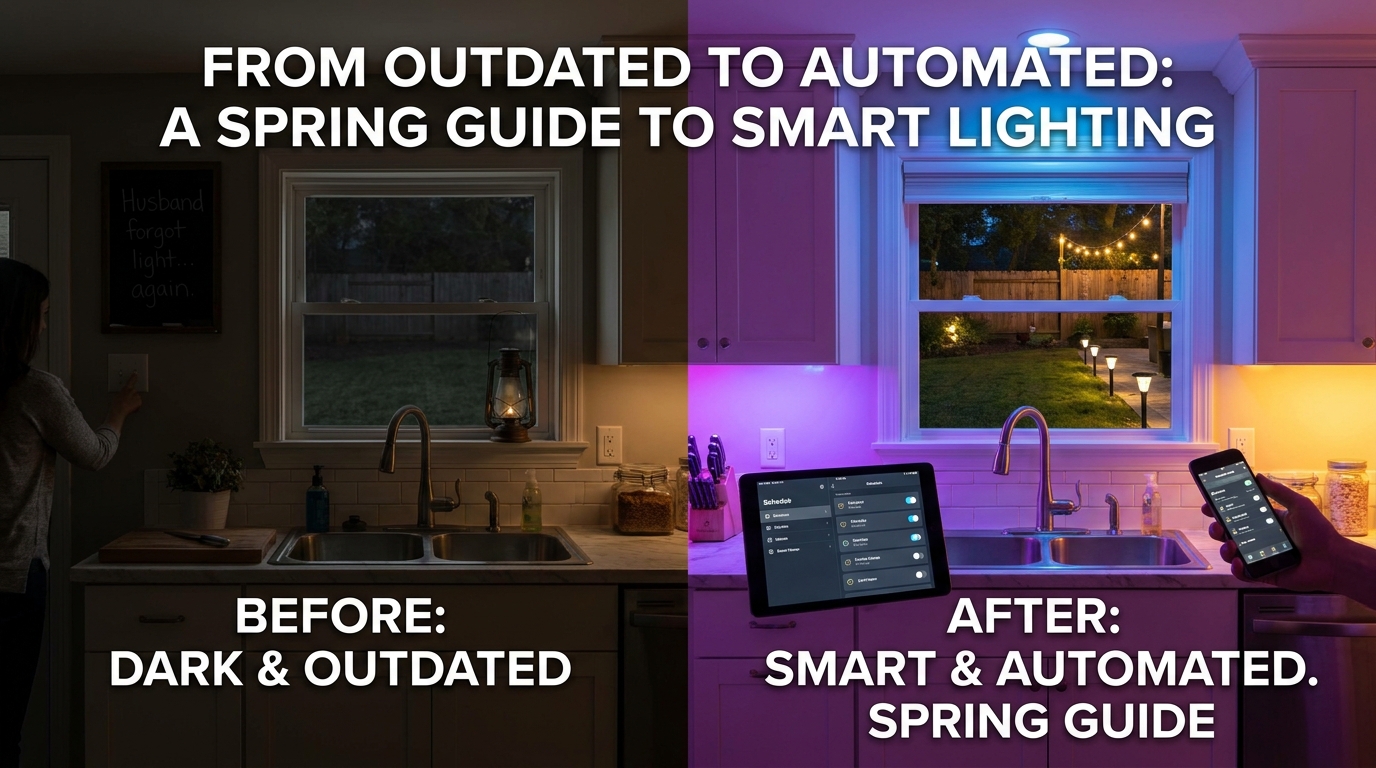
Here’s what I love most about it:
- No more forgotten lights. My kids used to leave their bedroom lights on 24/7. Now, I set a schedule so they turn off at 10 PM,no more arguments.
- Energy savings that actually add up. I cut my electric bill by about 15% just by dimming lights when no one’s in a room and using motion sensors in the hallways.
- It feels like magic (but it’s just tech). Walking into a room and saying, “Hey Google, set the mood for movie night,” makes me feel like I’m living in a luxury hotel,not a suburban home with a minivan in the driveway.
- Security that doesn’t require a security system. When we’re out of town, I set the lights to turn on and off at random times. It’s a cheap way to make the house look lived-in, and it’s worked so far,no break-ins!
The best part? It wasn’t as complicated as I thought. I started small,just the living room and backyard,and now I’m hooked. If I can do it, so can you.
Smart Lighting 101: What You Actually Need to Know
Before you buy anything, let’s clear up the confusion. Smart lighting isn’t just about bulbs that change color (though those are fun). It’s about control. You can turn lights on/off, adjust brightness, change colors, and even sync them with music or movies,all from your phone or with your voice.
Here’s what you’re really dealing with:
Smart Bulbs vs. Smart Switches: What’s the Difference?
I made the mistake of assuming all smart lighting was the same. Turns out, there are two main types:
- Smart bulbs (like the Philips Hue White I started with). These screw into your existing fixtures and connect to Wi-Fi. They’re great for lamps and overhead lights, but they do require a hub (more on that later).
- Smart switches (like the Legrand Matter Smart Plug I use for my outdoor lights). These replace your old light switches and let you control hardwired lights. No hub needed, and they’re cheaper in the long run if you’re replacing switches anyway.
I started with smart bulbs because they were easier to install, but now I’ve switched most of my hardwired lights to smart switches. Why? Because smart bulbs can be finicky with Wi-Fi signals, and I didn’t want to deal with that in every room.
The Hub (Yes, You Probably Need One)
Here’s where I almost gave up. I thought smart bulbs would just “work” with my Wi-Fi, but some brands (like Philips Hue) require a hub,a little device that bridges your lights to your network. It’s not expensive, but it’s one more thing to set up.
My advice? If you’re going all-in on smart bulbs, get a hub. If you’re mostly using smart switches or plugs, you might not need one. I ended up with the Philips Hue Bridge, and it’s been reliable so far.
Voice Assistants: Alexa, Google, and Siri, Oh My!
This is where smart lighting gets really convenient. I use Alexa to control my lights, and it’s a game-changer. No more yelling at the kids to turn off their lights,just say, “Alexa, turn off the upstairs hallway,” and it’s done.
Pro tip: If you have multiple voice assistants (like I do,Alexa in the kitchen, Google in the bedroom), make sure your smart lights are compatible with all of them. Not all brands play nice, so check before you buy.
My Go-To Smart Lighting Brands (And Why I Trust Them)
There are so many smart lighting brands out there, and half of them feel like they’re just rebranding the same tech. After testing a few, here are the ones I actually recommend:
1. Philips Hue (Best for Color-Changing Bulbs)
I started with the Philips Hue White and Color Ambiance bulbs, and they’re still my favorite for rooms where I want mood lighting. The app is super intuitive, and the color options are endless. I use them in the living room for movie nights (deep blues for action scenes, warm whites for comedies) and in the kids’ playroom for “fun mode.”
Downside? They’re pricey. But if you’re serious about smart lighting, they’re worth it.
2. Legrand (Best for Smart Switches and Plugs)
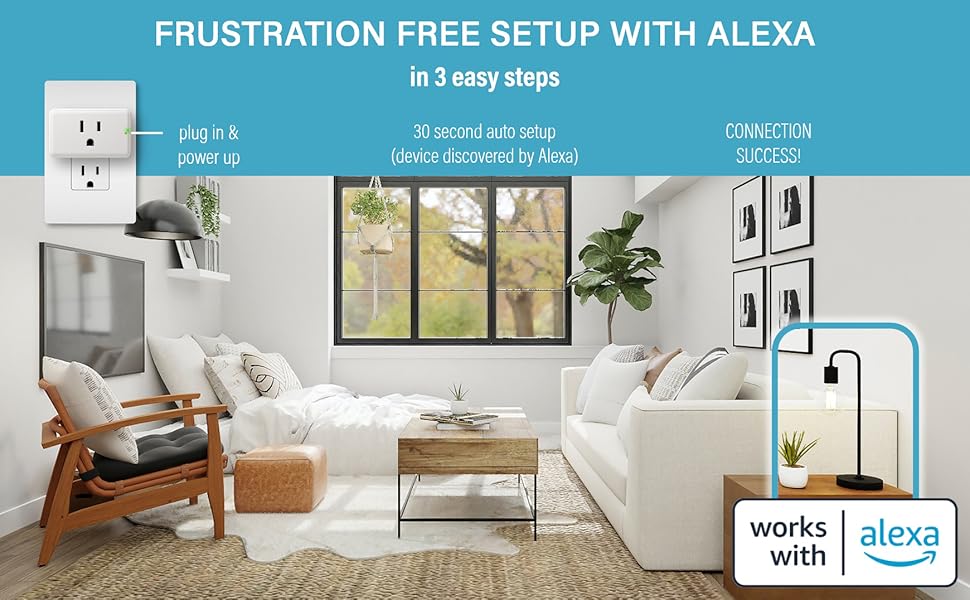
For hardwired lights, I switched to Legrand Matter Smart Plugs. They’re affordable, easy to install, and work with everything,Alexa, Google, even my smart thermostat. I used them to replace the switches in my hallway and backyard, and now I can control them all from my phone.
Bonus: Legrand’s customer support is actually helpful. I had a question about compatibility, and they walked me through it in 10 minutes.
3. Wyze (Best Budget Pick)
If you’re on a tight budget, the Wyze Bulb is a great starter option. It’s half the price of Philips Hue and still does the job. I used them in the garage and laundry room,places where I don’t need fancy features, just reliability.
Downside? The app isn’t as polished, and the color options aren’t as vibrant. But for $20 a bulb? I’m not complaining.
Step-by-Step: How to Install Smart Lighting (Without Calling an Electrician)
I’ll be honest,my first attempt at installing smart switches was a disaster. I ended up with a tripped breaker and a husband who gave me the look. But now? I’ve done it in every room, and I’m here to save you from my mistakes.
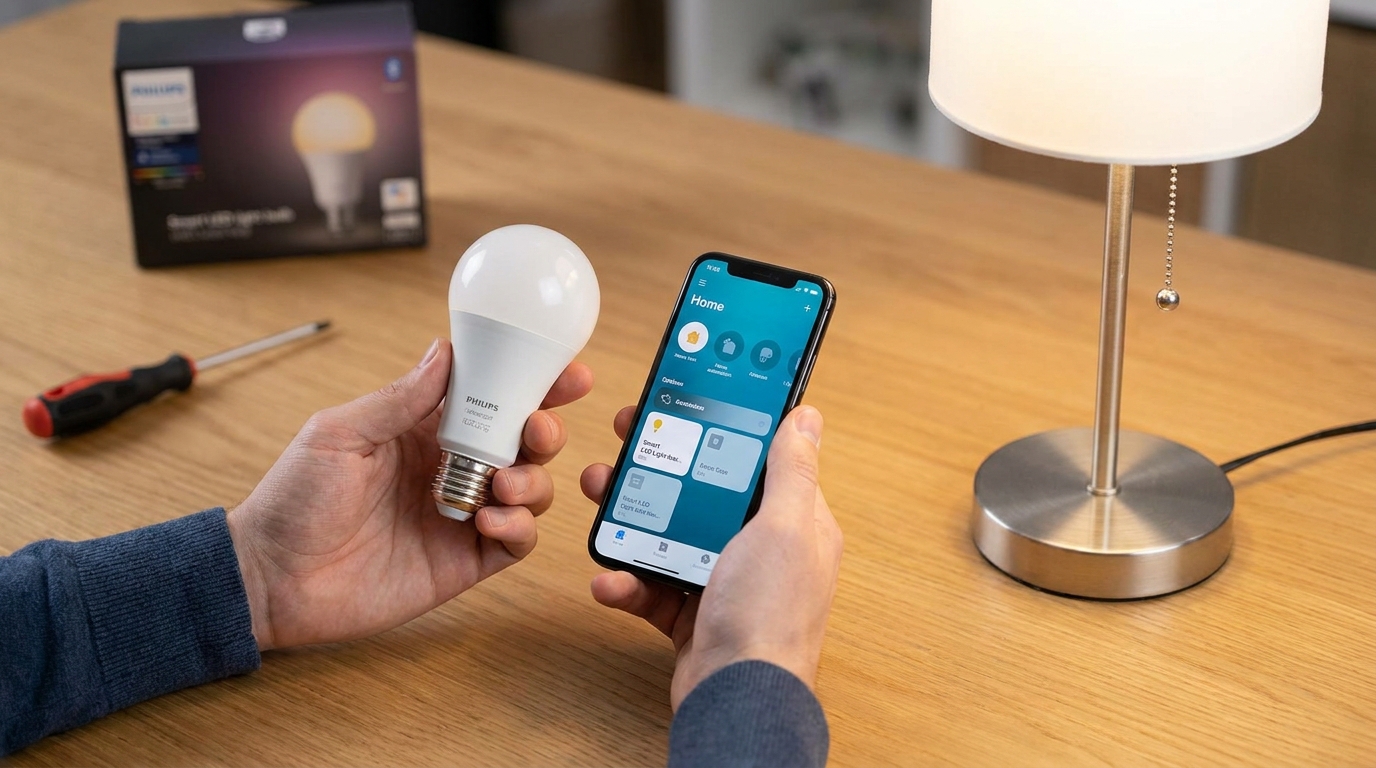
What You’ll Need
- A smart bulb, switch, or plug (see my recommendations above)
- A screwdriver (I use this DEWALT impact driver,it’s a game-changer for tight spaces)
- Wire strippers (if you’re replacing switches)
- A ladder (unless you’re installing plugs, in which case, just stand on a chair like I did)
- The app for your smart lighting brand (download it before you start)
Step 1: Turn Off the Power (Seriously, Do This First)
I learned this the hard way. Always turn off the power at the breaker before you touch any wires. Label the switch so you don’t accidentally turn the power back on while you’re working.
Step 2: Install Your Smart Device
If you’re replacing a switch:
- Remove the old switch cover and unscrew the switch from the wall.
- Take a photo of the wiring (trust me, you’ll thank me later).
- Disconnect the wires and attach them to your new smart switch. (Most have color-coded screws to match the wires.)
- Screw the new switch into the wall and reattach the cover.
If you’re using a smart plug:
- Plug it into any outlet.
- Plug your lamp or appliance into the smart plug.
- That’s it. No wiring required.
Step 3: Connect to Wi-Fi and Set It Up
This is where most people get stuck. Follow the app’s instructions to connect your device to your Wi-Fi network. If it doesn’t work, here’s what to check:
- Is your Wi-Fi password correct? (I once spent 20 minutes troubleshooting before realizing I’d typed it wrong.)
- Is your router compatible? Some older routers have issues with smart devices.
- Do you need a hub? (If your bulbs require one, like Philips Hue, make sure it’s set up first.)
If you’re still having trouble, most brands have helpful support pages. I had to call Legrand once, and they talked me through it in 10 minutes.
Step 4: Create Scenes and Schedules
This is the fun part! Once everything’s connected, you can:
- Set up scenes (like “Movie Night” with dimmed lights and a cool blue tint).
- Create schedules (like turning off the kids’ lights at 10 PM or turning on the porch light at sunset).
- Use voice commands (my kids love saying, “Alexa, make the lights dance!”).
Pro tip: Start with one room and expand. I began with the living room, then moved to the kitchen, and now I’m working on the backyard. It’s easier to troubleshoot when you’re not dealing with 20 devices at once.
Common Smart Lighting Problems (And How to Fix Them)
Even after you’ve set everything up, things can go wrong. Here’s how I fixed the most common issues:
Problem: My Lights Won’t Connect to Wi-Fi
This happened to me twice. First, I forgot to put the smart plug into pairing mode (most brands require this). Second, my router’s 2.4GHz band was overloaded. I switched the smart plug to the 5GHz band, and it worked.
Problem: The App Keeps Crashing
Update the app. Seriously. I ignored the update notification for weeks, and the Philips Hue app kept freezing. Once I updated, it ran smoothly.
Problem: My Voice Assistant Won’t Control the Lights
Check compatibility. Not all smart lights work with every voice assistant. I had to update the skills in my Alexa app to get everything synced up.
Problem: The Lights Keep Turning On/Off Randomly
This usually means a firmware update is needed. Check the app for updates, or visit the manufacturer’s website. I had to do this with my Wyze bulbs,they started glitching until I updated the firmware.
Problem: The Colors Look Weird
This is usually a brightness or temperature issue. In the app, adjust the color temperature (warmer for cozy, cooler for bright). I had to tweak this in my living room until the lights looked natural.
If all else fails, reset the device and start over. It’s annoying, but it usually works.
How to Save Money (and Energy) with Smart Lighting
One of the biggest selling points of smart lighting? Saving money. Here’s how I cut my electric bill by 15%:
1. Use Scheduling to Avoid Waste
I used to leave the porch light on all night “just in case.” Now, it turns off at 11 PM and back on at 6 AM. That alone saved me about $20 a month.
2. Dim Lights When You Don’t Need Full Brightness
I dim the kitchen lights when we’re eating dinner,it’s cozier, and it uses less energy. The Philips Hue app lets me set a “dinner mode” with 50% brightness.
3. Switch to LED Bulbs (If You Haven’t Already)
Smart bulbs are LEDs by default, but if you’re using smart switches, make sure the bulbs you’re controlling are energy-efficient. I replaced all my old incandescent bulbs with LED equivalents, and my bill dropped even more.
4. Use Motion Sensors for High-Traffic Areas
I installed a motion sensor in the hallway and bathroom. Now, the lights only turn on when someone’s there. It’s a small change, but it adds up.
5. Take Advantage of “Away” Mode
When we’re on vacation, I set the lights to turn on and off at random times. It looks like someone’s home, and I don’t have to worry about leaving lights on.
Bonus: Many smart lighting brands offer energy reports in their apps. I check mine monthly to see where I’m using the most power and adjust accordingly.
Smart Lighting for Security: How to Make Your Home Safer
Here’s something I didn’t expect: Smart lighting can make your home more secure. Here’s how I use it:
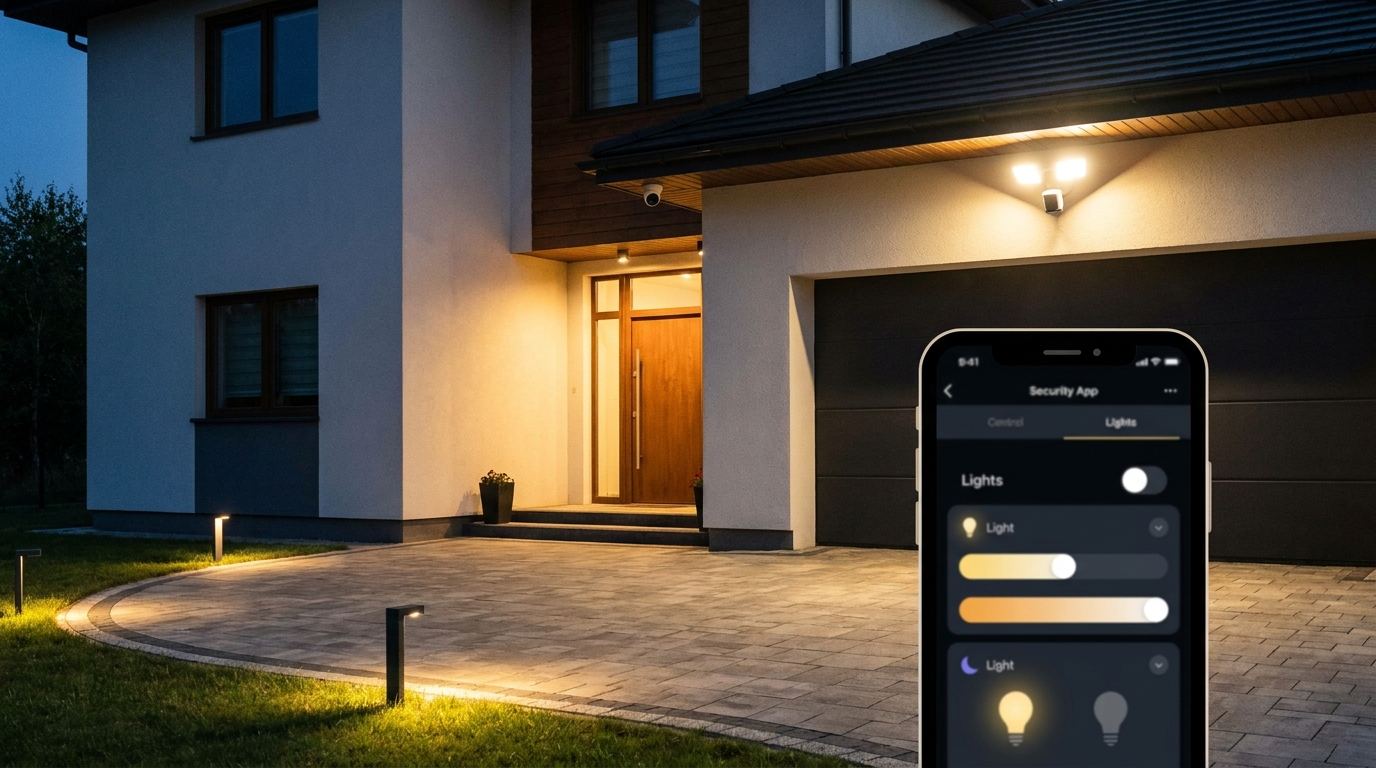
1. Simulate Occupancy When You’re Away
I set my living room and bedroom lights to turn on and off at different times when we’re out of town. It’s a simple way to make the house look lived-in.
2. Use Motion-Activated Lights Outside
I installed a motion sensor light on my front porch. It turns on when someone walks up, which is great for seeing who’s at the door,and it deters burglars.
3. Set Up “Emergency” Scenes
In case of a power outage, I have a scene set to turn on all the outdoor lights if the power goes out. It’s a quick way to let us know the backup generator is working.
4. Integrate with a Security System (If You Have One)
I don’t have a full security system, but if I did, I’d sync it with my smart lights. Many systems let you arm/disarm the alarm with voice commands and trigger lights when the alarm goes off.
Even without a security system, smart lighting adds an extra layer of safety. It’s one of the reasons I feel more comfortable leaving the house empty during the day.
Final Thoughts (And What I’d Do Differently)
If you’re on the fence about smart lighting, let me convince you: It’s worth it. The convenience, energy savings, and security benefits alone make it a no-brainer. And once you get the hang of it, it’s so easy to expand.
That said, here’s what I’d do differently if I were starting over:
- I’d skip the smart bulbs for hardwired lights and go straight to smart switches. They’re cheaper and more reliable.
- I’d test compatibility before buying. Not all smart lights work with every voice assistant or hub.
- I’d start with one room and expand slowly. It’s easier to troubleshoot when you’re not dealing with 20 devices at once.
Ready to dive in? Start with a smart bulb or a smart plug, and go from there. And if you hit a snag, just know,you’re not alone. I’ve been there, and I’m happy to help!
Now, if you’ll excuse me, I’ve got to go set the mood for movie night. “Alexa, turn on the living room lights,cool blue, 30% brightness.”